 Chrome Web Store
 Edge Add-ons
 Firefox Add-ons
Extension Screenshots.
In Minutes.
Paste your listing link. Markee rebuilds your screenshots, promo tile, and marquee around your real UI.
60-second quiz · see your slide plan before you pay
chrome web store
Claude Project Downloader
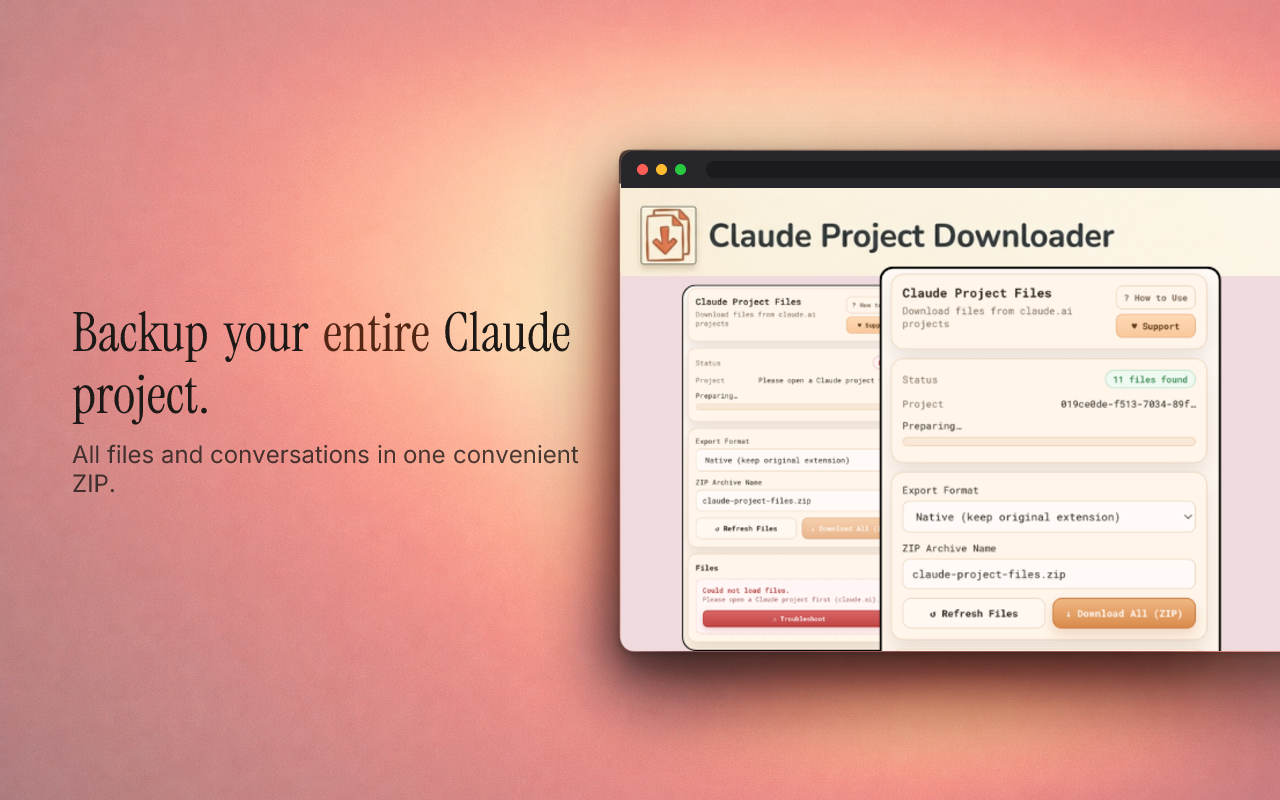
Redesigns by Markee
Loved extensions. New wardrobe.
Created with Markee. Not affiliated with any of the extensions.
Community & In-App
What Devs Said
“Wow that is awesome! Thank you so much! I will update my store listing tomorrow. Thank you again!”
u/CheevosGame
Cheevos · r/ChromeExtension
“The new screenshots are up for review in the Chrome web store and are published on the Firefox addons.”
u/CheevosGame
Cheevos · r/ChromeExtension
“Thank you so much, will update the existing screenshot texts and use them.”
u/AnotherDevBerry
ChatLodge · r/ChromeExtension
“Thanks, it does look great. Good luck on your journey!!”
u/GuideAxon
Agent X — Your AI Assistant · r/ChromeExtension
✦ The screenshots looked amazing
u/hirawatt
MakerWorld Estimator · r/chrome_extensions
✦ The screenshots looked amazing
✦ Saved me a ton of time
✦ Nailed my product's vibe
✦ Loved the before/after
✦ Super easy to use
Verified User
High Contrast
One plan, two ways to pay
Pricing
Less than an hour of a designer’s time. Figma takes an afternoon. Markee takes a few minutes.
Yearly
3-day free trial$49.99/year after the free trial · save 72%
Every launch and update for a year.
✦ 60 Stars every month (≈ 10 full kits)
Monthly
billed $14.99 monthly
No commitment. Cancel whenever.
✦ 30 Stars every month (≈ 5 full kits)
Both plans include
- AI-written headlines from your real listing
- 5 screenshots, small promo tile and marquee
- Every layout, incl. Isometric 3D and Stack
- Studio Render Engine for photoreal lighting
- Unlimited free text & layout edits
- Store-ready PNGs + ZIP, commercial use
Questions & Details
Frequently Asked
How do I create screenshots for my Chrome extension?+
You capture your extension's UI at the exact sizes the Chrome Web Store requires — 1280×800 or 640×400 pixels — and present each one clearly with a short caption. The fastest way is a purpose-built tool: with Markee you paste your Chrome Web Store listing URL, it pulls your real UI, and it exports a complete, correctly-sized kit in minutes instead of building each frame by hand in Figma or Canva.
What are the official Chrome Web Store image sizes?+
The Chrome Web Store needs screenshots at exactly 1280×800 or 640×400 pixels (24-bit PNG with no alpha, or JPEG), a store icon at 128×128, a small promo tile at 440×280, and an optional marquee promo tile at 1400×560. You must supply at least one screenshot and may supply up to five. Markee generates every one of these sizes in a single kit.
How do I make a 1280×800 screenshot without Figma or Canva?+
Use an automated Chrome Web Store screenshot generator instead of a general design tool. Markee takes your listing URL, rebuilds your screenshots around your actual extension UI on styled backgrounds with readable captions, and outputs pre-cropped 1280×800 (and 640×400) images — no canvas setup, grid alignment, or manual export required.
What is Markee?+
Markee is a Chrome Web Store screenshot and asset generator for extension developers. You paste your store listing URL and Markee produces a polished listing kit — screenshots, the small promo tile, and the marquee — sized to Chrome Web Store spec, wrapping your real UI in clean backgrounds and clear feature captions.
Do better screenshots actually increase Chrome extension installs?+
Yes — the Chrome Web Store shows screenshots prominently and users decide within seconds, so clearer, benefit-led screenshots measurably lift install rates. One developer on r/chrome_extensions reported roughly doubling daily installs after replacing raw screen captures with polished, captioned ones.
Is Markee free to try?+
Yes — the Yearly plan starts with a 3-day free trial, and the planning step is always free. At markee.app/start you answer a few questions and paste your listing link, and Markee's AI reads it, writes your slide plan — headlines, layouts, palette — and shows you a preview of your first slide. Generating the full kit takes a subscription: Yearly at $49.99/year with 60 Stars every month, or Monthly at $14.99/month with 30 Stars every month (Yearly is 72% less than a year of Monthly). The trial is one per account and gives you 20 Stars with every layout unlocked (the Studio engine starts with the first charge); exports carry a watermark until the first charge. We email you a reminder at least a day before it ends, and unless you cancel before then it converts to Yearly at $49.99/year. Both plans unlock every layout and the Studio engine, and you can cancel anytime. Every image costs 1 Star (2 on the Studio engine), so a full 5-image kit is 5 Stars; subscribers who run out can add a 50-Star Pack for $9.99 that never expires.
Does Markee use my real extension UI or generic mockups?+
Markee builds the screenshots around your real UI, not stock placeholders. It reads your live Chrome Web Store listing and existing screenshots, then redesigns them with backgrounds, framing, and captions while keeping your actual interface at the center.
What image formats and dimensions does Markee export?+
Markee exports Chrome Web Store-ready files: 1280×800 screenshots (the recommended size), the 440×280 small promo tile, and the 1400×560 marquee tile, delivered as a downloadable kit. Every asset matches the Web Store's required pixel dimensions so uploads pass validation on the first try.
Which slide layouts can Markee generate?+
Markee has eight slide layouts: Framed (your UI in a browser window under the headline), Split (text beside the window), Focus (one UI detail zoomed in), Popup (your extension open in the Chrome toolbar), Isometric 3D (the window in perspective with real depth), Stack (other screenshots fanned behind the featured one), Full-bleed (for screenshots that are already designed promos) and Statement (pure typography). The analyzer picks a mix and you can switch any slide's layout for free. Both plans, Yearly and Monthly, unlock all eight (so does the Yearly free trial).
Ready to Ship?
Answer a few questions, paste your link, and see the plan for your kit before you pay a cent.